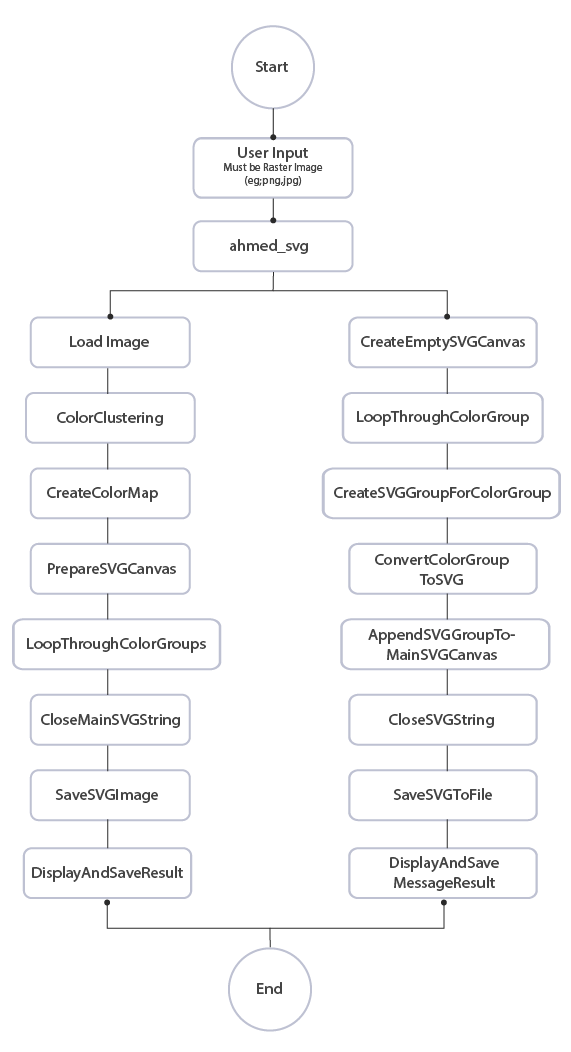
CRIISL: Convert Rasterize Image Into SVG Layers
Abstract
Raster images in multiple layers or vector format can be challenging for digital artists. However, converting them into Scalable Vector Graphics (SVG) format, such as Adobe Illustrator, Inkscape, or CorelDRAW, offers advantages. SVG files allow for easy resizing without loss of quality, making them ideal for creating logos, icons, and other graphics that need to be scaled to different sizes. They are lightweight and can be easily edited using code, providing more control over design elements. This versatile and flexible tool streamlines the design process and provides greater flexibility for artists in their creative projects. SVG files are smaller in size compared to raster images, making them easier to work with and share. Developers can also use code-based approaches to further manipulate and customize SVG images as needed.
Downloads